Online enquiry capture
Bring enquiries submitted through your website into iEduCentre so staff can follow them up from one list.

Parent enquiries and follow-up
Know who asked, what they need and when your team should follow up.
Capture enquiries from your website or staff, keep the parent, student and course interest together, and track each follow-up until the family registers or the enquiry is closed.
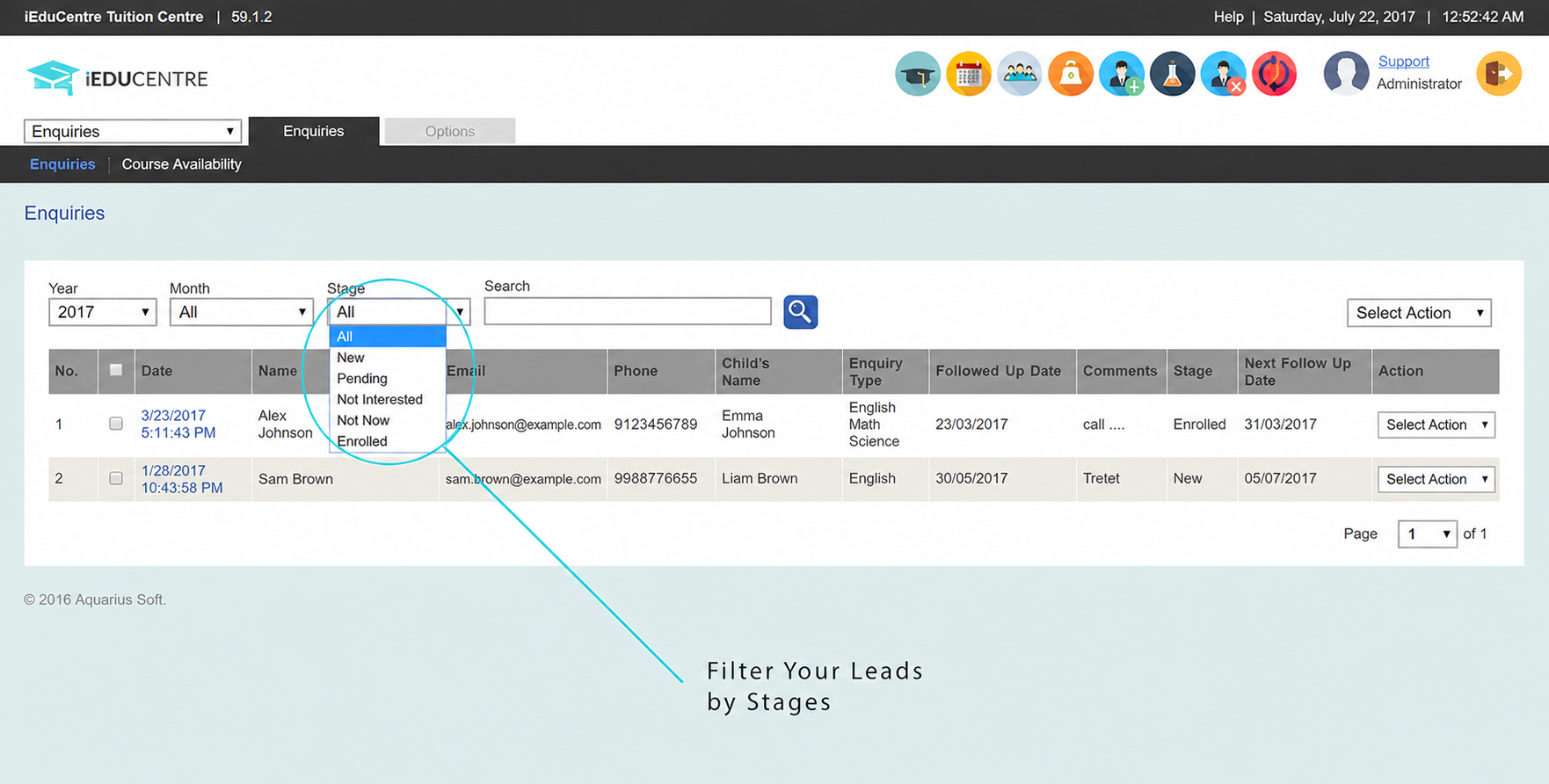
Why it matters
An enquiry can go quiet simply because the next call or message is not recorded clearly. iEduCentre gives staff one place to see the family's interest, the current stage and the next follow-up date, then continue the same details into registration.
What your centre can do
How it works
Record the parent, student and programme interest when the family contacts your centre or submits an online enquiry.
Keep notes, assign the enquiry where needed and record when your team should call or message again.
Update the enquiry stage and carry the family's details into registration when they are ready to join.
What is included
The information stays with the relevant student, family, lesson, teacher or fee record, so your team can find it when needed.
Bring enquiries submitted through your website into iEduCentre so staff can follow them up from one list.
Separate new, pending, enrolled and closed enquiries, and see which families need attention next.
Keep the parent, student, programme interest, notes and follow-up history together for the next conversation.
Common questions
Enquiry management keeps each interested family's contact details, programme interest, notes, stage and next follow-up date together, so staff know what has happened and what to do next.
Yes. Enquiries submitted through an online contact form can be captured in iEduCentre for staff to review and follow up.
Yes. Staff can use enquiry stages and next follow-up dates to see which families need attention.
The enquiry can continue into registration so the parent, student and programme details already collected remain part of the same workflow.
See it with your own process
Tell us how your team handles this task today. We will show you how it can be managed in iEduCentre.