One operational system

Everyday centre work, connected from enquiry to reporting.

iEduCentre brings the workflows a Singapore tuition centre depends on into one configurable system—without forcing staff to stitch together generic tools.

Built around the work

Start with the job your team needs to complete.

Each feature page explains what it does, how the workflow fits together and how it differs from a disconnected generic tool.

01

Parent enquiries and follow-up

Enquiry management

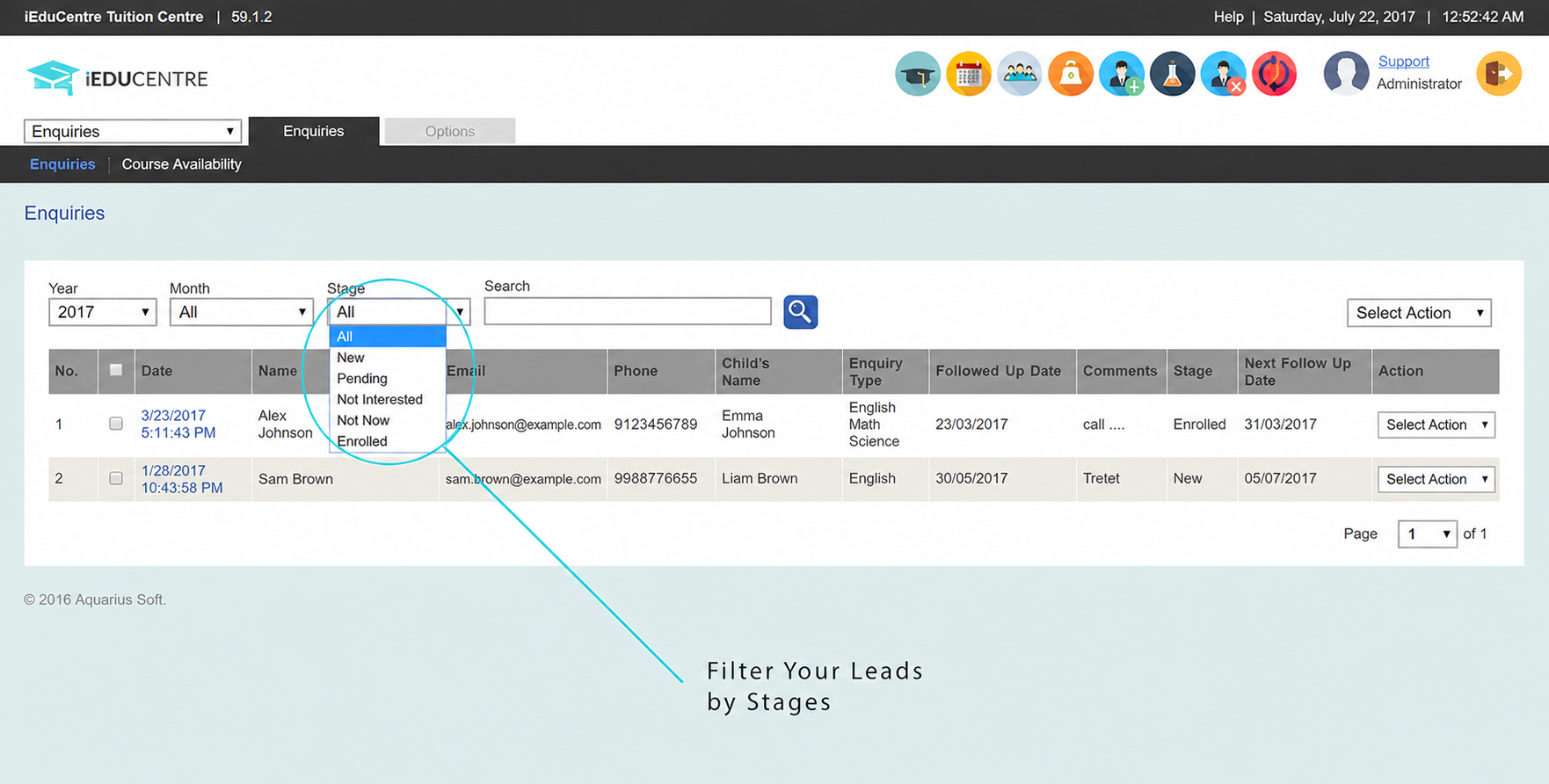
Capture enquiries from your website or staff, keep the parent, student and course interest together, and track each follow-up until the family registers or the enquiry is closed.

  • Capture enquiries from your website or staff
  • See each enquiry's current stage
  • Record the next follow-up date and notes
Explore enquiry management
Enquiry management
iEduCentre enquiry list showing enquiry stages and next follow-up dates
02

Online registration from your website

Online registration

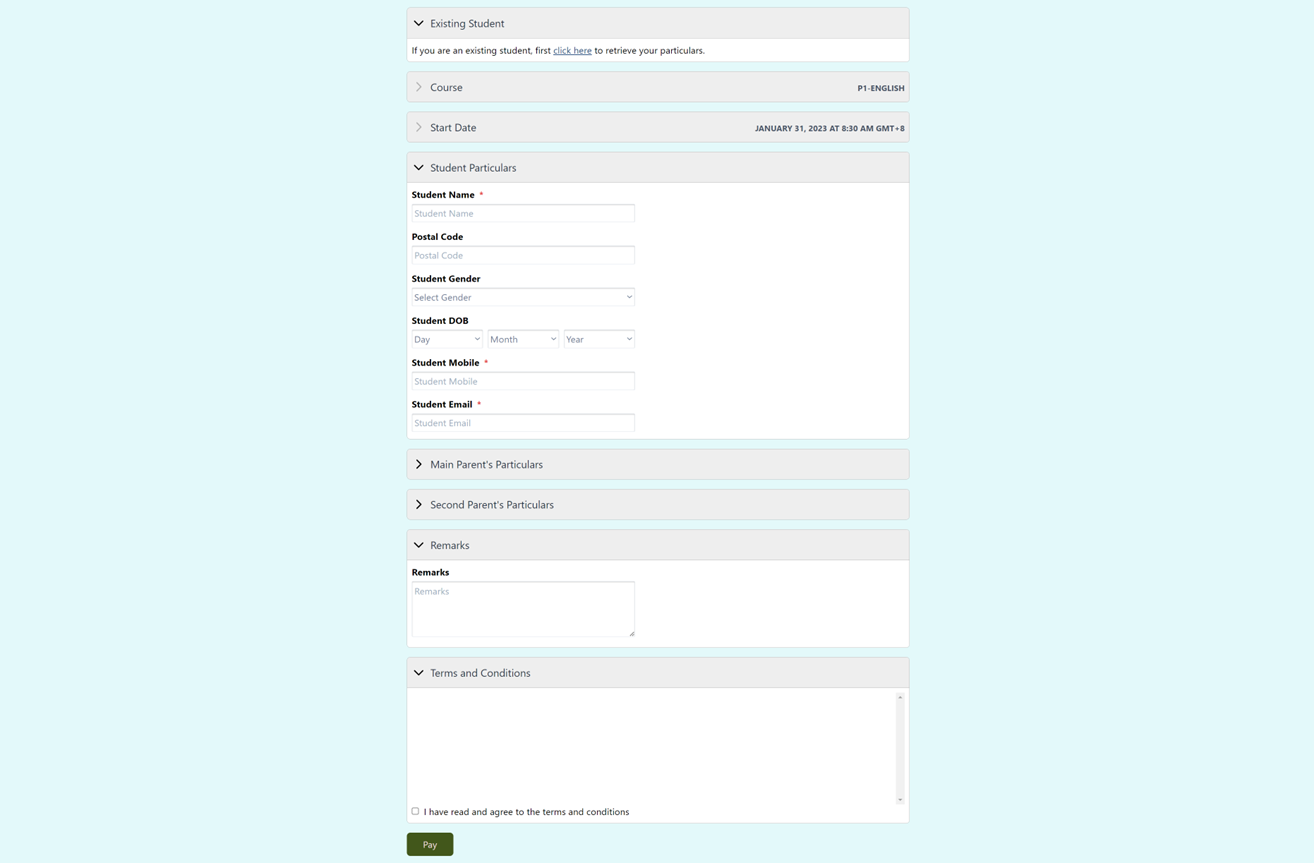
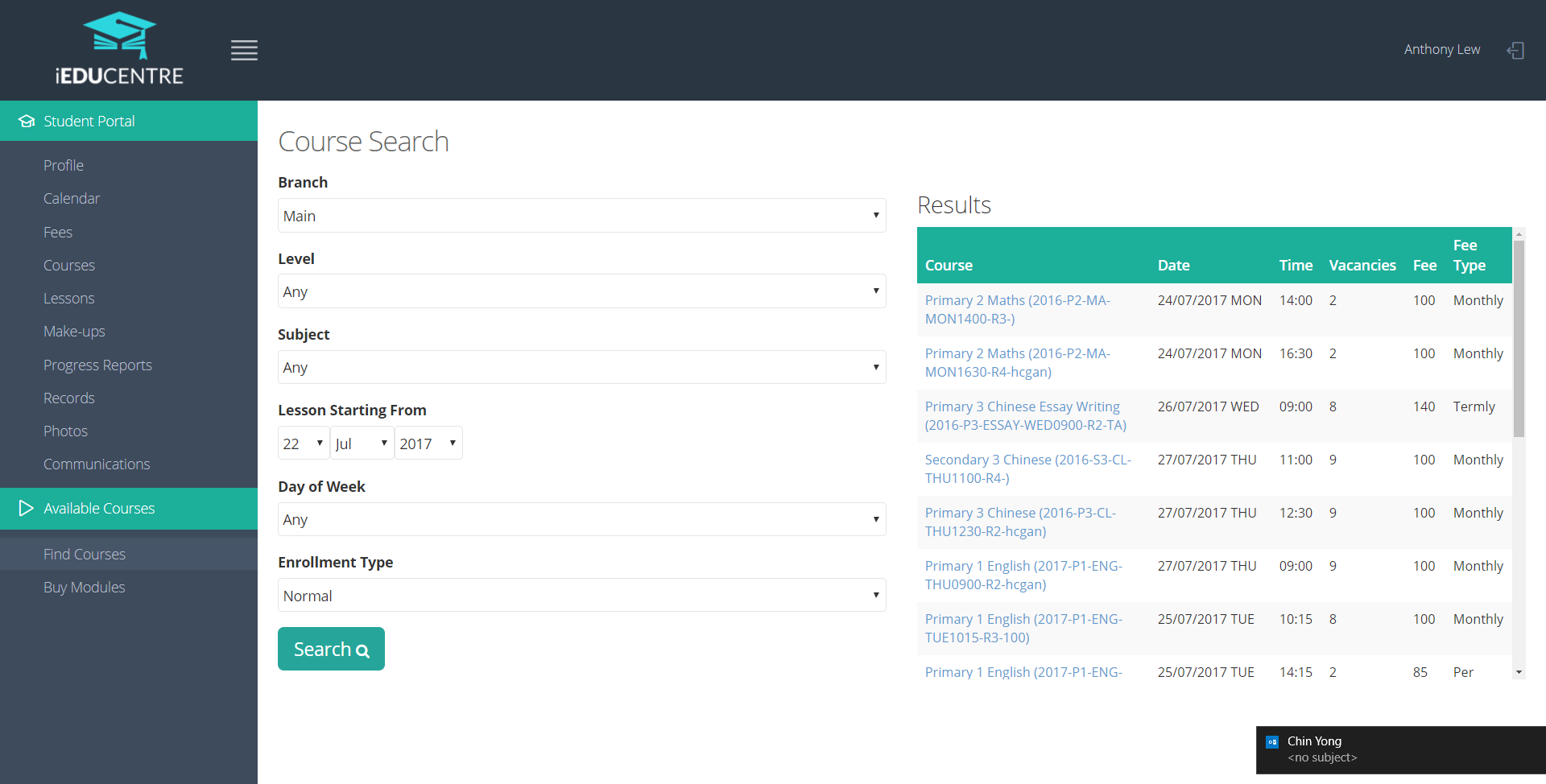
Add a registration link to your website or share it directly. Families can choose an available trial or course, provide the details your centre requires, then reserve a place or make a supported payment online.

  • Accept trial and course registrations online
  • Show live schedules and current availability
  • Offer reservation or supported direct payment
Explore online registration
Online registration
iEduCentre online course registration form showing course details, student particulars and payment
04

Student and teacher attendance

Attendance

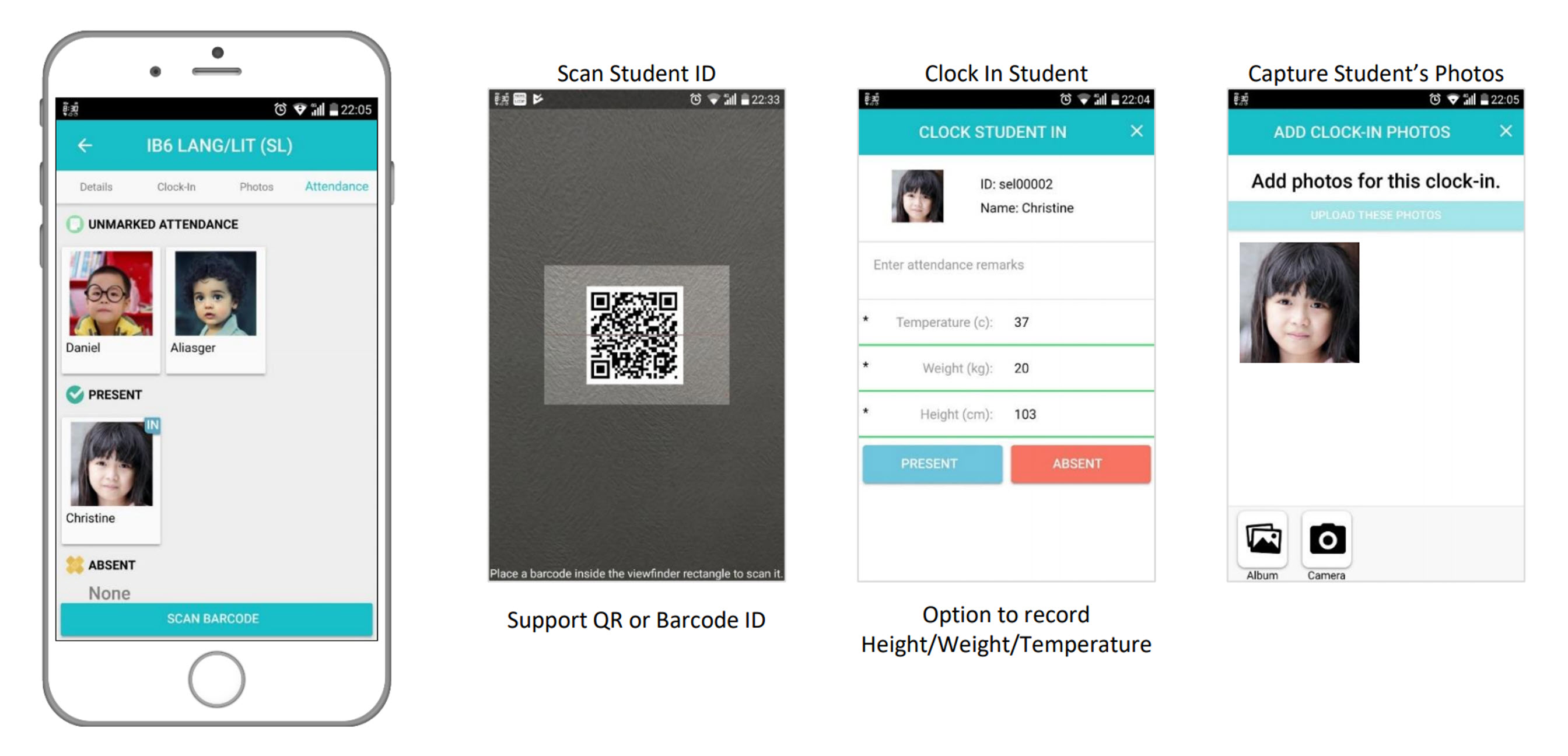
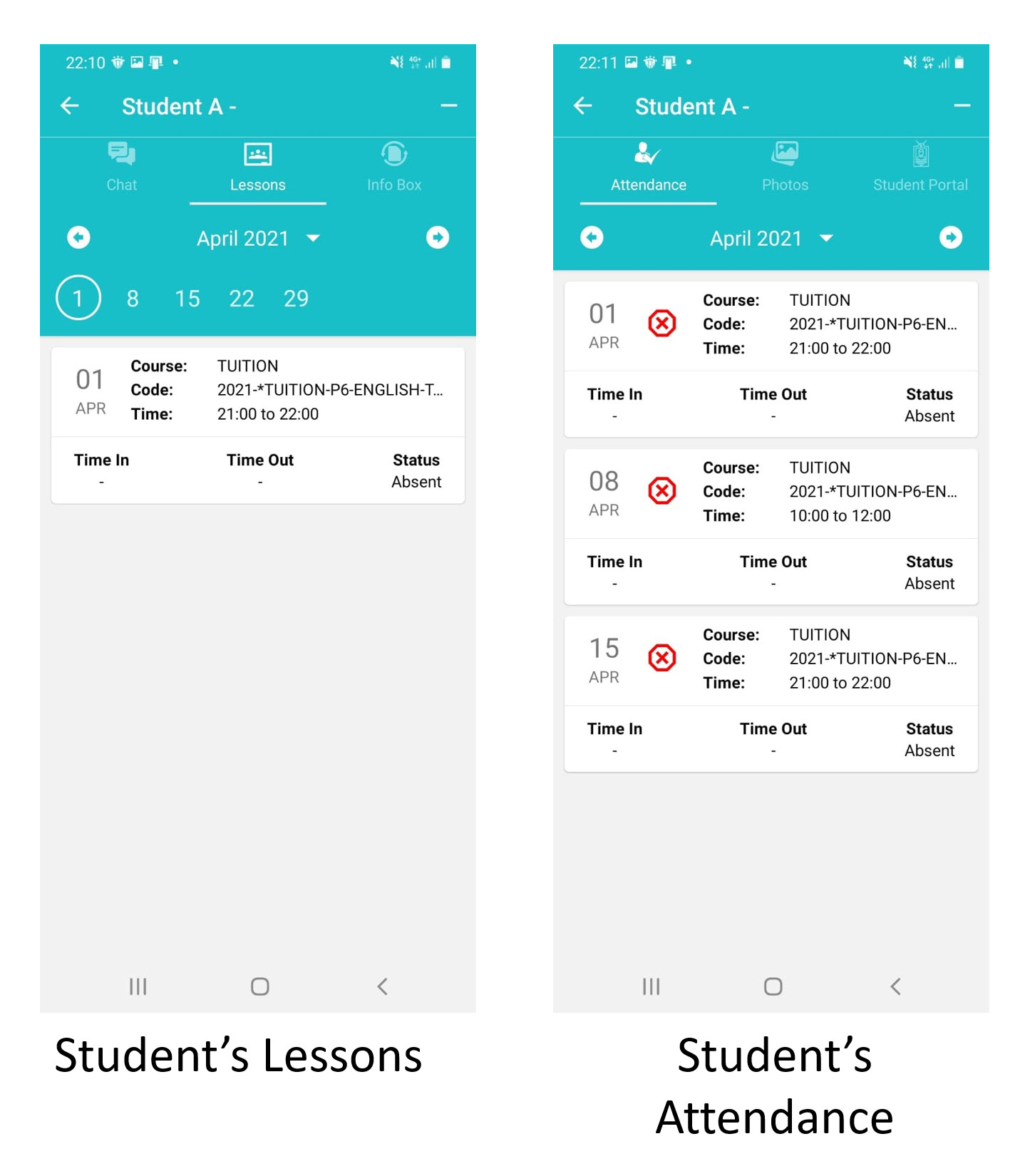
Record student and teacher attendance for each scheduled lesson, keep a clear history and support parent notifications when needed.

  • Take student and teacher attendance
  • Use the app, barcode or a supported attendance station
  • Notify parents about relevant attendance events
Explore attendance
Attendance
iEduCentre attendance tracking interface
05

Course fees and payment follow-up

Fees & payments

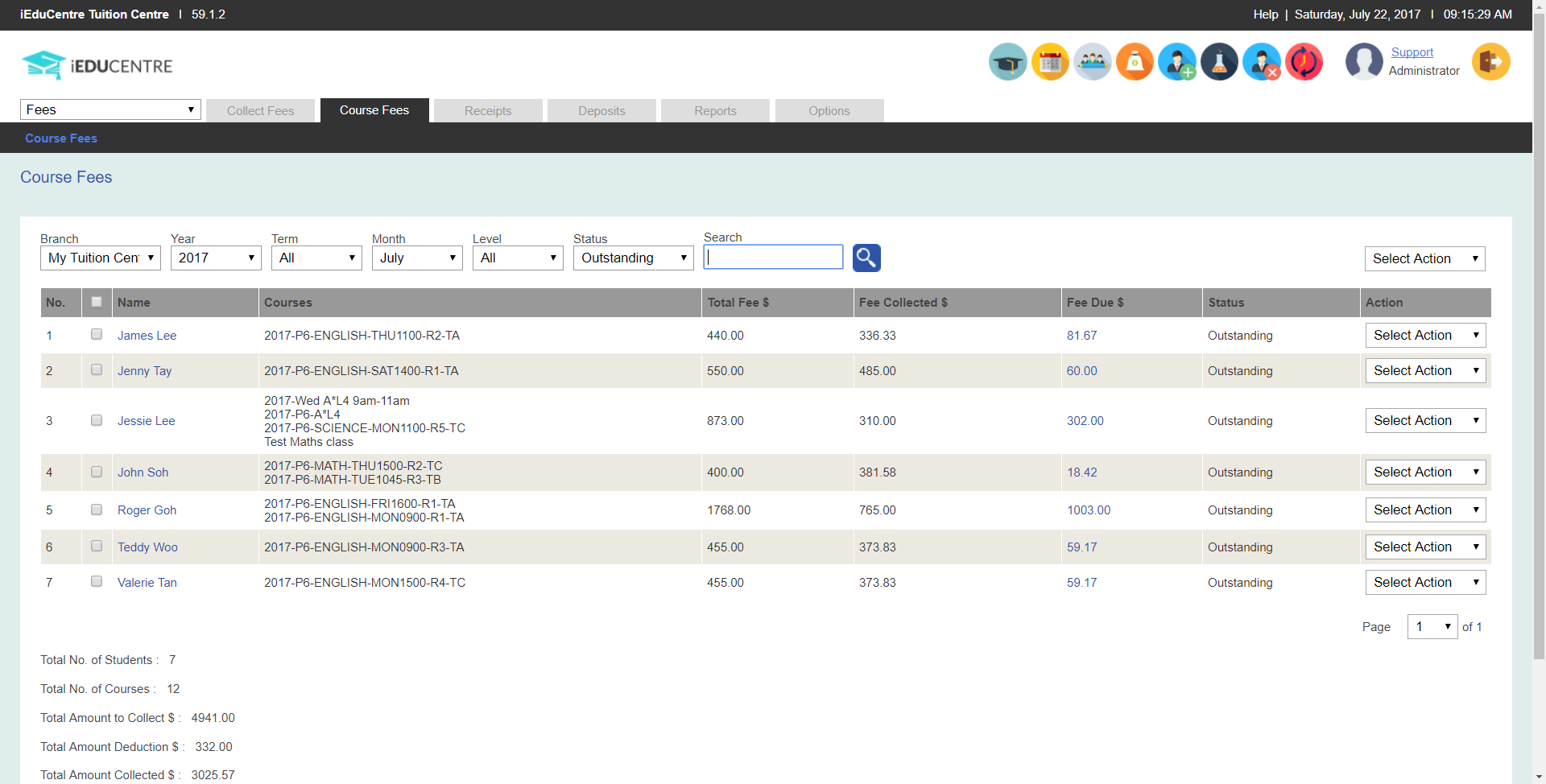
Use the course and enrolment details to generate fees, apply your configured discounts, send payment advice and reminders, and record collections.

  • Generate and pro-rate course fees
  • Apply configured discounts and late fees
  • Send payment advice and reminders
Explore fees & payments
Fees & payments
iEduCentre course fee generation and outstanding balance screen
07

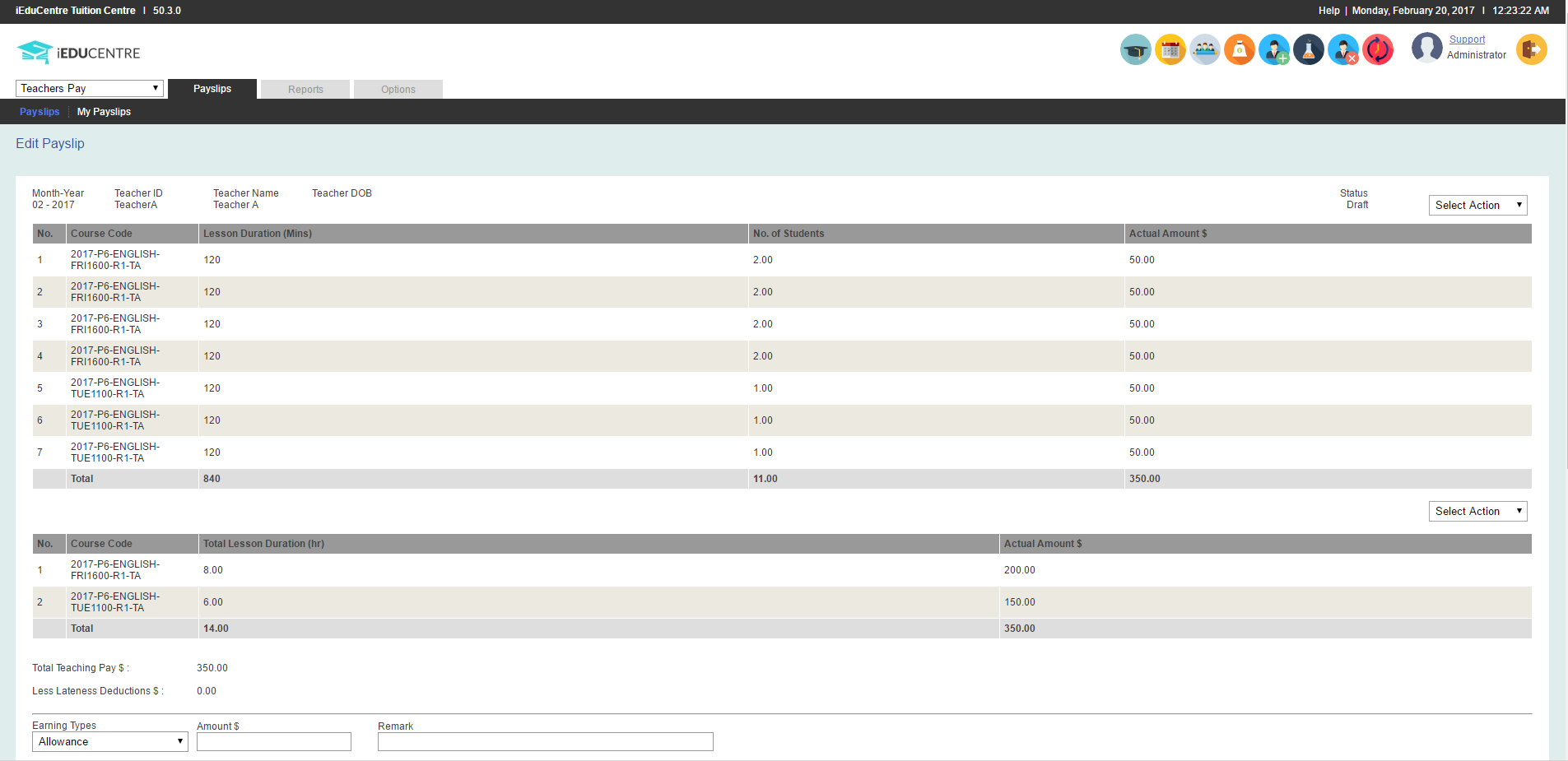
Pay based on lessons taught

Teacher pay

Calculate teacher pay by lesson duration, student count or commission using the work already recorded in iEduCentre, then prepare a detailed payslip.

  • Calculate pay by lesson duration
  • Calculate pay by student count
  • Use supported commission formulas
Explore teacher pay
Teacher pay
iEduCentre teacher pay generation screen showing lesson duration, student count and pay amounts
09

Messages for the right families

Communication

Use the student, course, group, lesson, payment or attendance information in iEduCentre to organise relevant parent communication.

  • Contact families by group, course or lesson
  • Send relevant fee and attendance updates
  • Keep the reason for each message clear
Explore communication
Communication
iEduCentre communication interface for centre operations
10

A clearer view of your centre

Reporting

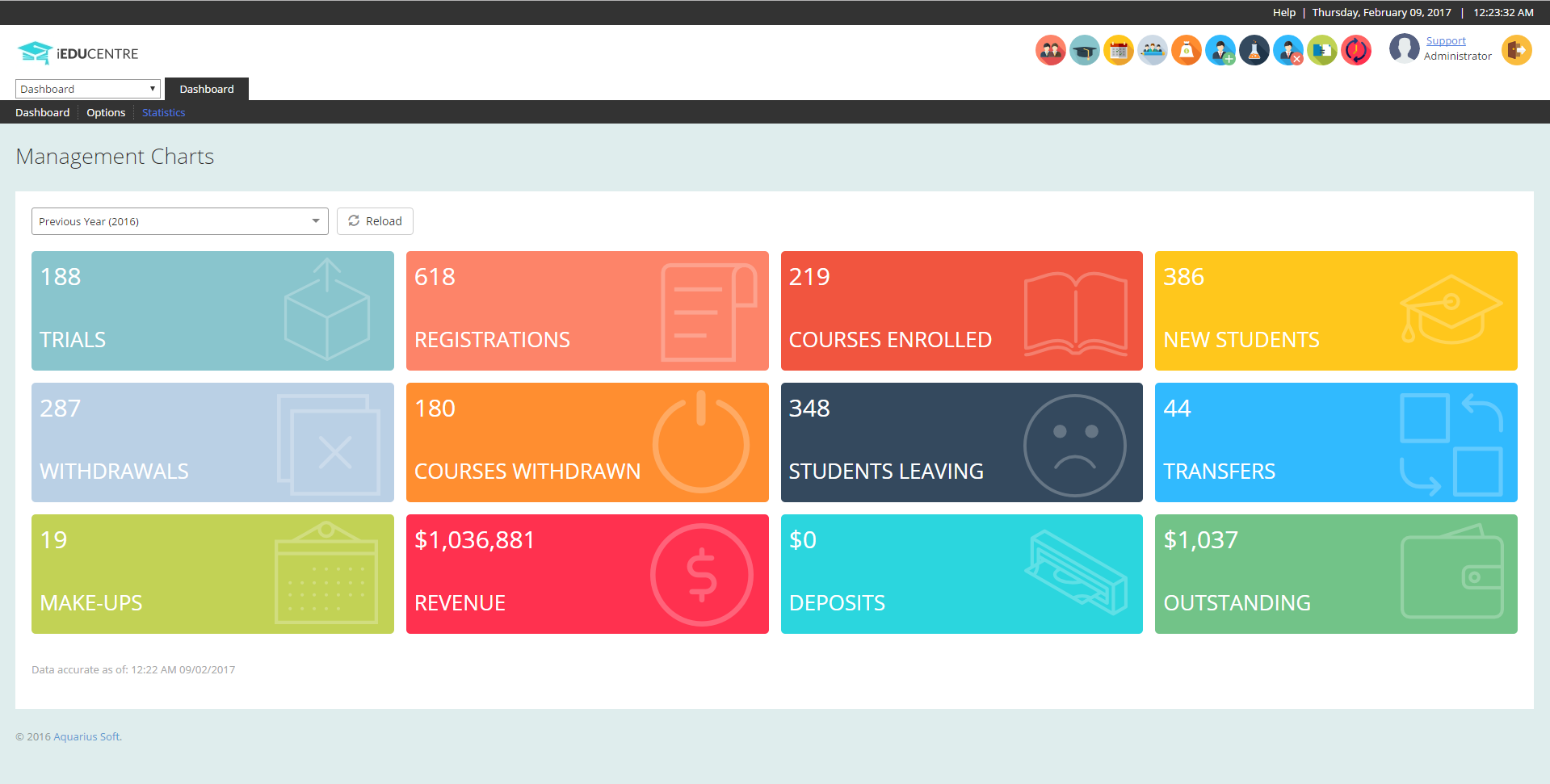
View revenue, collections, deposits, student numbers, enrolments, trials and registrations in reports designed for centre management.

  • Review revenue and fee collection
  • Track student and enrolment numbers
  • Monitor trials and registrations
Explore reporting
Reporting
iEduCentre management dashboard with centre performance measures

A connected walkthrough

See how the features work together for your centre.

We will follow your enrolment, scheduling, attendance, fees, staff administration and teacher-pay workflows end to end.