Live schedules and availability
Show families the current trial or course schedules and available places before they submit.

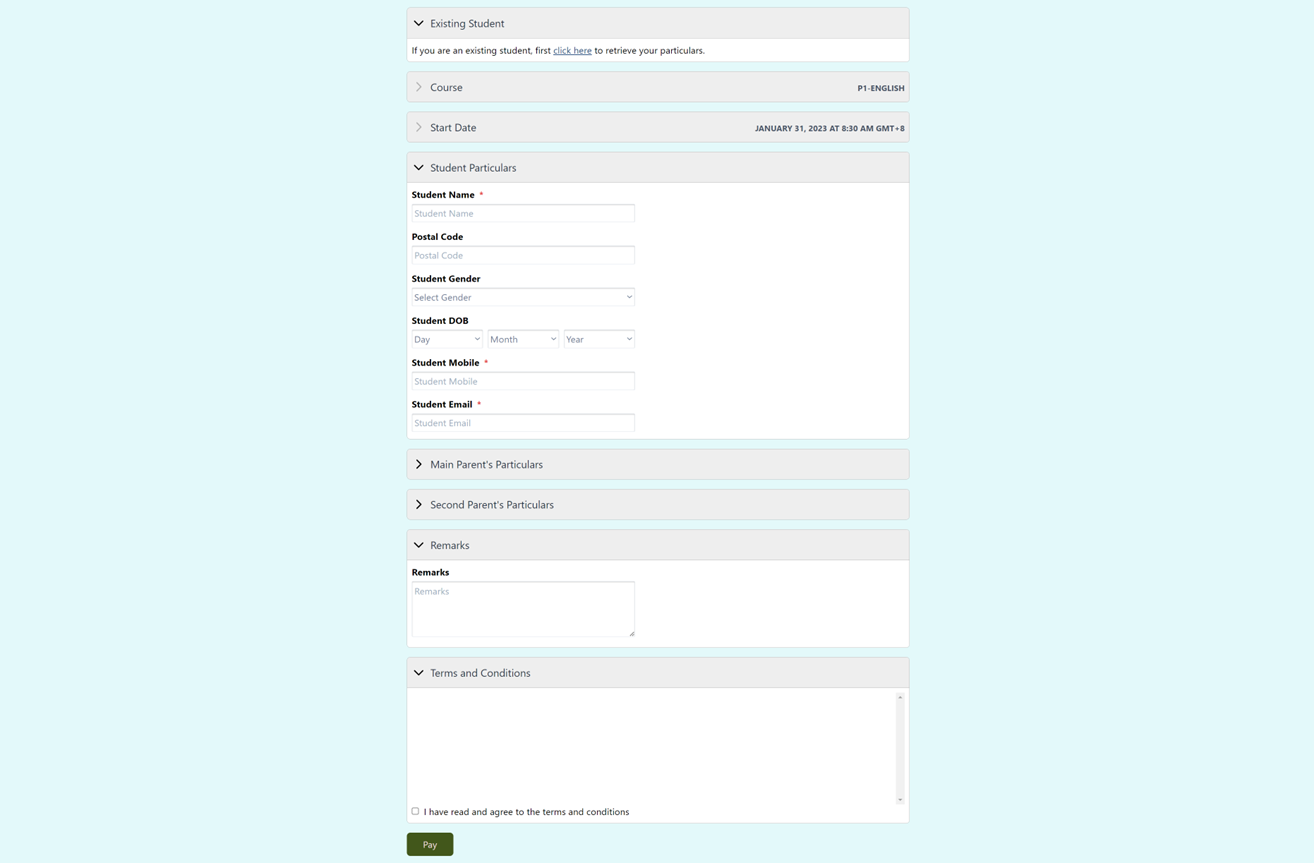
Online registration from your website
Make it easy to choose a schedule, check availability and register online.
Add a registration link to your website or share it directly. Families can choose an available trial or course, provide the details your centre requires, then reserve a place or make a supported payment online.
Why it matters
When registration is available from your website, a new family can act while their interest is fresh. iEduCentre collects the information your centre needs and keeps the submitted registration connected to the relevant course and student record.
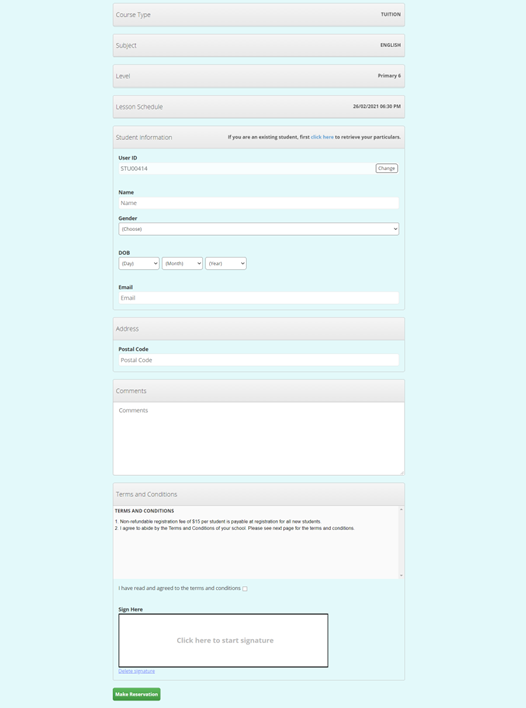
Online trial registration
Show the selected trial schedule, collect the details your centre needs, include your terms and conditions, and request a signature where required.
What your centre can do
How it works
Place the registration link on your website or share it directly with interested families.
Show the relevant course types, subjects, levels, schedules and available places, then collect the details your centre needs.
Accept a reservation or supported payment and use the submitted details for the next enrolment, scheduling and fee tasks.
What is included
The information stays with the relevant student, family, lesson, teacher or fee record, so your team can find it when needed.
Show families the current trial or course schedules and available places before they submit.
Choose which course types, levels and subjects appear, which information fields are shown and which fields are mandatory.
Display your centre's terms and conditions, collect a signature where required, and support either reservation or direct payment workflows.
Common questions
Yes. Add the registration link to your website so families can submit a trial or course registration online. You can also share the same link directly.
Yes. The form can list the relevant schedules and current availability so families can choose before submitting.
Yes. Your centre can configure the course types, levels and subjects shown, select the information fields to collect, make selected fields mandatory, add its terms and conditions, and request a signature where required.
Yes. The form can support a reservation workflow or supported direct payment, depending on your centre's configured process.
See it with your own process
Tell us how your team handles this task today. We will show you how it can be managed in iEduCentre.