Day and week views
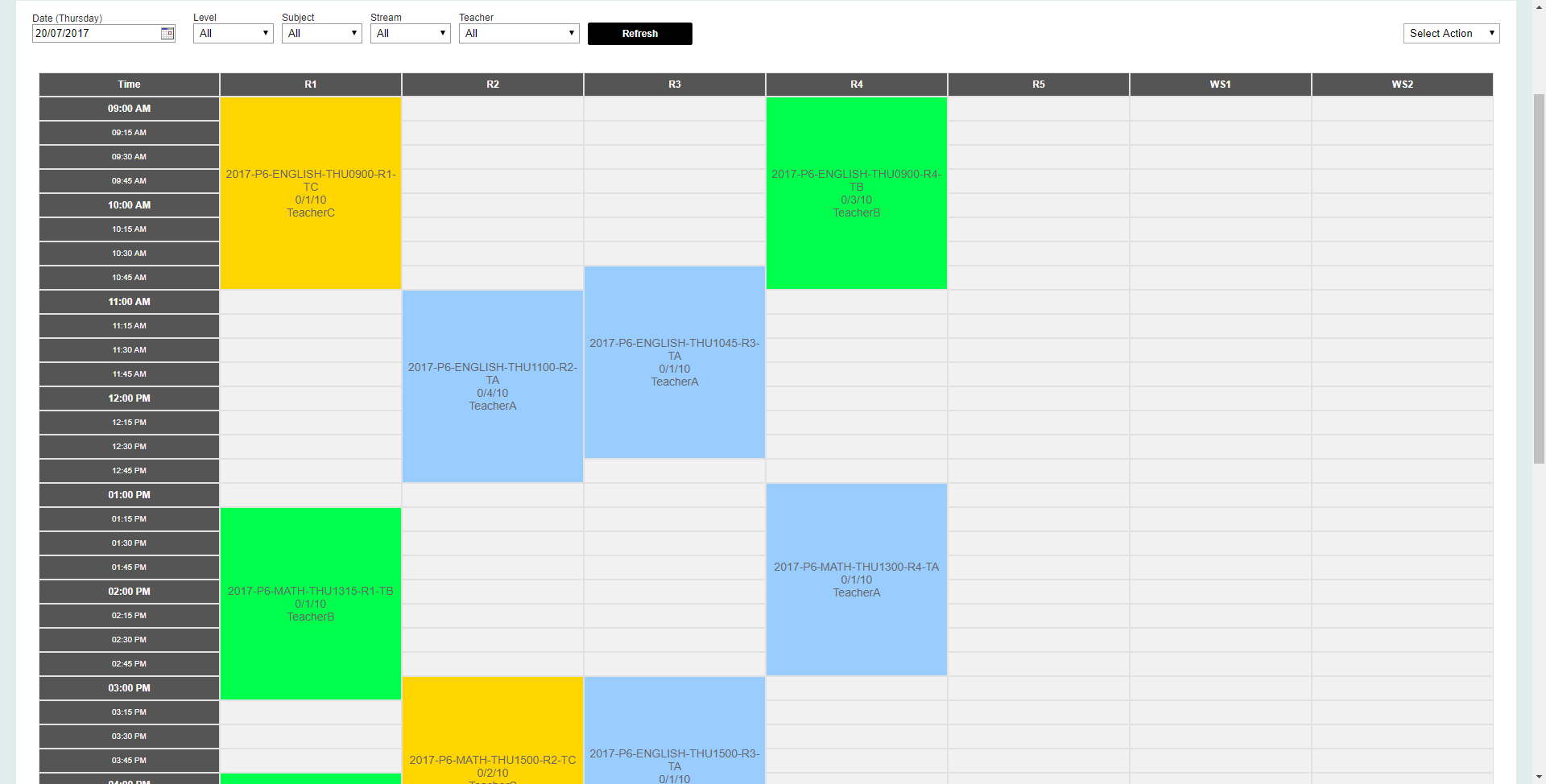
Check the timetable by day, week, teacher or room.

Classes, teachers and rooms
See recurring lessons, rooms, teachers and make-ups together.
Build course timetables, assign teachers and rooms, then manage changes and make-up lessons without losing track of the original class.
Why it matters
A tuition timetable is more than a list of appointments. When a teacher, room or lesson changes, your staff still need to know which course and students are affected.
What your centre can do
How it works
Choose the programme, level, lesson pattern, teacher and room.
Build the recurring timetable while keeping each lesson date available for changes.
Update the teacher or room and arrange make-up lessons without losing the original class details.
What is included
The information stays with the relevant student, family, lesson, teacher or fee record, so your team can find it when needed.
Check the timetable by day, week, teacher or room.
See how teachers and rooms are being used before confirming a change.
Keep each replacement lesson linked to the correct student and class.
Common questions
Yes. You can organise a course as a series of recurring lessons and still manage individual lesson dates.
Yes. Staff can use teacher-focused and room-focused schedule views.
Yes. Make-up lessons are managed as part of the student's course and lesson record.
See it with your own process
Tell us how your team handles this task today. We will show you how it can be managed in iEduCentre.