Different pay formulas
Use different formulas for different teachers, courses or teaching arrangements.

Pay based on lessons taught
Use the pay formula that matches each teaching arrangement.
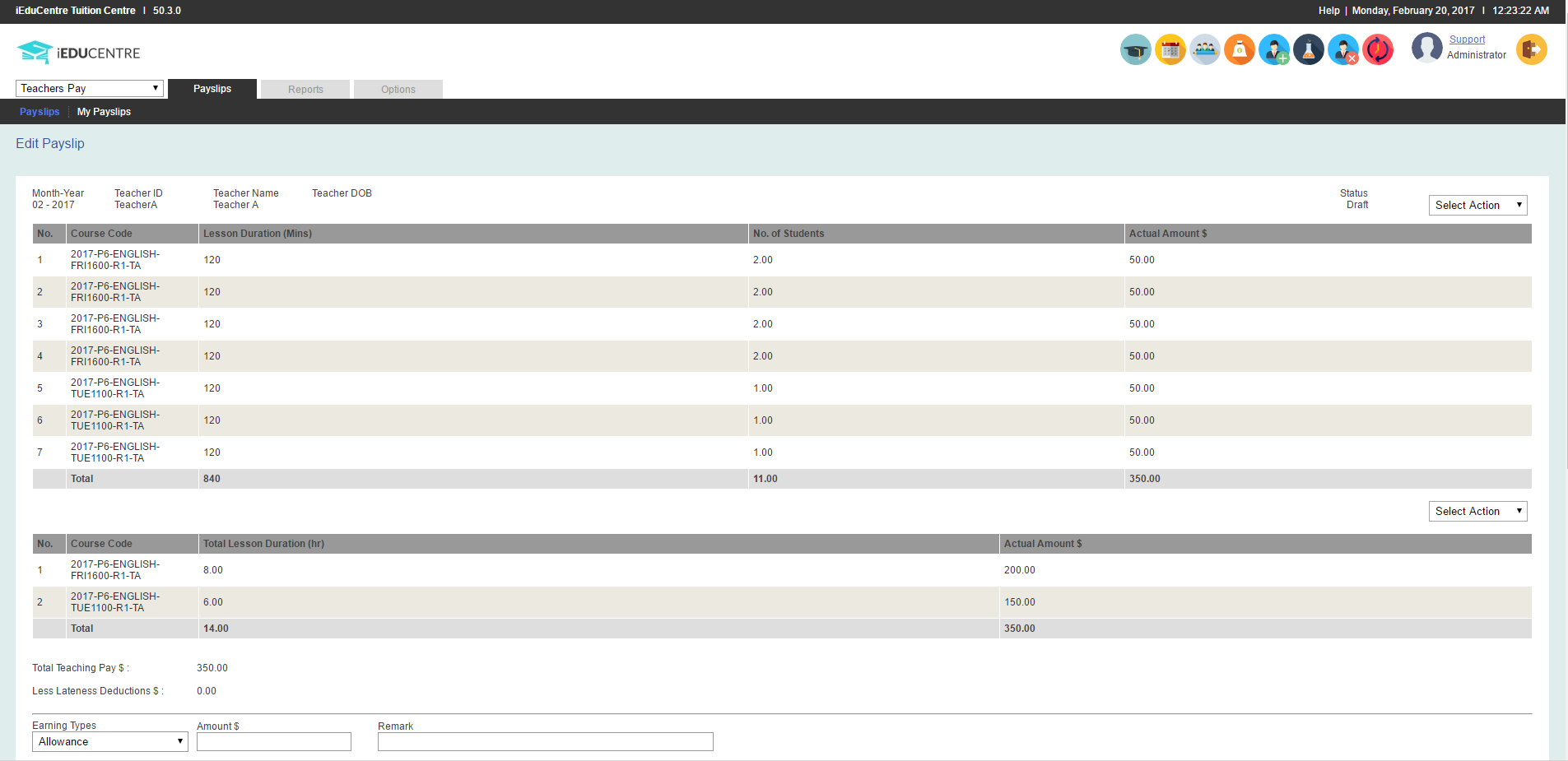
Calculate teacher pay by lesson duration, student count or commission using the work already recorded in iEduCentre, then prepare a detailed payslip.
Why it matters
Teacher pay is often different from a fixed monthly salary. Rates may depend on the lesson taught, its duration, the number of students or an agreed commission.
What your centre can do
How it works
Choose the lesson rate, student-count rule or commission arrangement used for the teacher.
Bring the relevant scheduled lessons and attendance information into the calculation.
Review the result before preparing a detailed payslip for the teacher.
What is included
The information stays with the relevant student, family, lesson, teacher or fee record, so your team can find it when needed.
Use different formulas for different teachers, courses or teaching arrangements.
Reduce repeated manual calculations when preparing teacher pay for the month.
Give teachers a clearer breakdown of how their pay was calculated.
Common questions
Yes. Lesson duration can be used as the basis for a configured teacher-pay formula.
Yes. Student-count and commission arrangements can also be configured where appropriate.
Yes. iEduCentre can prepare detailed payslips from the teacher-pay calculation.
See it with your own process
Tell us how your team handles this task today. We will show you how it can be managed in iEduCentre.